Integrated POS and Inventory Management System [A Practical Guide for Growing Businesses]
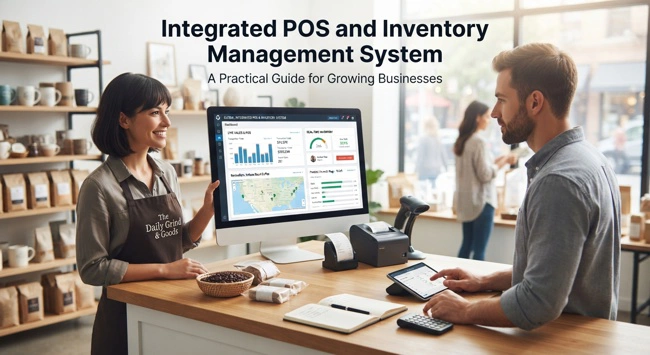
If your business sells products, every transaction tells you more than just how much money you made. It also affects your inventory levels, purchasing decisions, cash flow, customer records, and future sales planning. When your point-of-sale system and inventory records operate separately, even a simple sale can create extra administrative work and opportunities for mistakes. An integrated POS and inventory management system brings these connected activities into one workflow, helping businesses keep sales and stock information synchronized.
An integrated POS and inventory management system connects your point-of-sale operations with inventory tracking, so product sales, stock quantities, returns, and related information are updated automatically. Instead of relying on employees to move information between a POS terminal, spreadsheet, accounting application, and inventory database, the connected system allows information to flow between these functions. This gives business owners and managers a clearer picture of what is happening across the business while reducing repetitive data entry.
If your business is experiencing stock discrepancies, overselling, slow reporting, manual inventory updates, or difficulty knowing what products are available, POS and inventory integration could address some of these challenges. Read on to learn how these systems work, which features matter, how integration can support growth, and what you should consider before implementing one.
What Is an Integrated POS and Inventory Management System?
An integrated POS and inventory management system combines point-of-sale functionality with inventory management, keeping sales and stock information connected. When an employee completes a transaction, the system records the sale and adjusts the relevant inventory quantity rather than requiring someone to update a separate stock record manually.
For example, imagine a clothing store has 20 units of a particular jacket. A customer purchases two jackets through the POS system. In a connected environment, the inventory quantity can immediately reflect the sales, leaving 18 units available. If the business has established a reorder threshold of 5 units, the system can continue to monitor that product and notify the appropriate employee when replenishment becomes necessary.
This connection becomes increasingly important as a company grows. A business with a small number of products and transactions may be able to manage inventory manually for a while. As the number of products, customers, employees, locations, and transactions increases, however, manual processes become harder to maintain accurately.
Why POS and Inventory Integration Matters for Growing Businesses
The biggest problem with disconnected systems is not necessarily that each system is bad. The problem is that employees have to make them work together. A cashier may complete a sale in the POS system, while another employee updates inventory later, and an accountant records financial information in a separate application. Every additional handoff creates another opportunity for information to be delayed, duplicated, or entered incorrectly.
Integration reduces these unnecessary handoffs. A completed transaction can automatically become an inventory event, while sales information can flow into accounting, reporting, customer management, and other connected systems. Employees spend less time copying information and more time handling activities that require human judgment.
This becomes particularly valuable for businesses that have already started moving beyond spreadsheets. Companies researching ERP software for companies outgrowing spreadsheets may find that POS and inventory integration is one part of a much broader effort to replace disconnected processes with a centralized technology environment.
How an Integrated POS and Inventory System Works
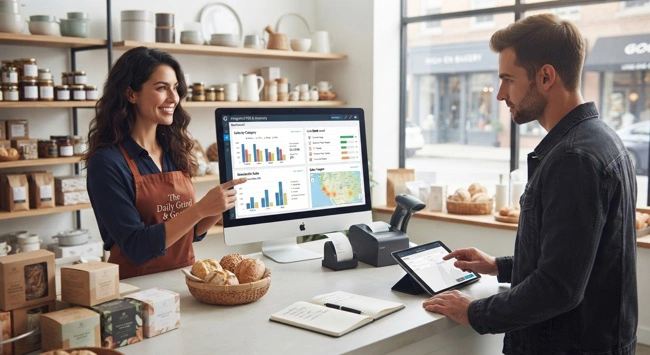
The basic concept is relatively simple. A customer selects a product, the employee scans or enters it into the POS system, and the transaction is completed. The system identifies the product, quantity, price, and other relevant information before recording the sale. Because the POS and inventory functions are connected, the stock record can then be updated based on the transaction.
The same connection can work in the opposite direction. When new products arrive from a supplier, employees can record the received inventory so that the available quantity increases. If a customer later returns an item, the return can affect the inventory record in accordance with the company's return policy. Stock transfers, adjustments, damaged products, and other inventory movements can also be tracked within the same environment.
The result is a more continuous flow of information. Instead of having sales data in one system and inventory information in another, both can contribute to a shared operational picture.
Key Features of an Integrated POS and Inventory Management System
Businesses should look beyond the appearance of the POS interface when evaluating software. A modern system should support the operational processes that happen before, during, and after a sale. The exact requirements will vary by business, but several capabilities are particularly useful.
| Feature | Business Benefit |
|---|---|
| Real-time inventory updates | Keeps stock information closer to actual sales activity |
| Barcode and SKU management | Makes product identification faster and more consistent |
| Low-stock alerts | Helps employees identify products that need replenishment |
| Purchase order management | Connects purchasing decisions with inventory requirements |
| Sales reporting | Shows which products are selling and how quickly |
| Returns and exchanges | Helps keep inventory records accurate after returned sales |
| Multi-location inventory | Provides visibility across stores, warehouses, or branches |
| User permissions | Controls access to sensitive functions and information |
| Accounting integration | Reduces duplicate financial data entry |
| API support | Makes it easier to connect the POS with other business applications |
The important consideration is how these features work together. A business does not necessarily need every advanced capability available in the market. What matters is whether the system supports the company's actual workflow and can continue doing so as transaction volume and operational complexity increase.
Real-Time Inventory Visibility Helps Prevent Stock Problems
One of the strongest arguments for POS and inventory integration is better inventory visibility. When stock quantities are updated as sales occur, employees have a more current view of product availability. This can make it easier to answer questions such as whether an item is in stock, whether additional units should be ordered, or whether another location has the product available.
Better visibility can also reduce the likelihood of overselling. If employees are working from outdated spreadsheets or manually updated inventory reports, the quantity shown on the screen may not represent what is actually available. A customer could be told that an item is in stock only for the business to discover later that the last unit was already sold.
Inventory accuracy also has a financial dimension. Products sitting in a warehouse or store represent money invested by the business. Overstocking can tie up working capital, while understocking can result in missed sales. Connecting sales activity to inventory information gives managers better evidence for making those decisions.
How Integration Improves Purchasing and Reordering
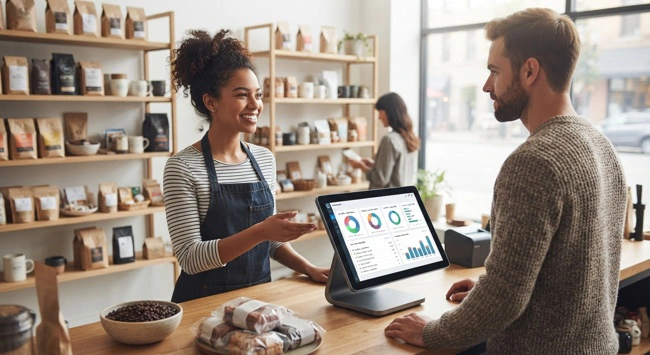
Purchasing becomes easier when managers can see sales activity alongside inventory levels. Rather than ordering products based entirely on intuition, the purchasing team can use information about current quantities, historical sales, reorder points, and product performance.
Suppose a grocery retailer discovers that a particular product consistently sells faster during certain weeks of the month. With integrated sales and inventory data, management can identify that pattern and plan replenishment more effectively. The system may also provide low-stock notifications, giving purchasing employees time to contact suppliers before the product runs out.
Automation can help here, but it should not eliminate human oversight. Supplier delays, seasonal demand, promotions, price changes, and unexpected market conditions can all affect purchasing requirements. Good software provides information and automates repetitive tasks while leaving important business decisions in the hands of people who understand the company's circumstances.
Connecting POS With Accounting and Other Business Software
A POS system rarely exists in isolation. Businesses may also use accounting software, customer relationship management platforms, e-commerce platforms, payment services, warehouse applications, or ERP software. When these applications are disconnected, employees may spend hours transferring information between them.
An integrated environment can reduce this duplication. Depending on the technology involved, sales information can be shared with accounting software, inventory information can be made available to an e-commerce platform, and customer information can be synchronized with a CRM. Application programming interfaces, commonly known as APIs, are often used to allow different systems to exchange information.
This is where ERP consulting services for small business owners can become valuable. Before adding another application, a business should understand which systems already exist, what information they contain, and where integration gaps are causing problems. Good technology planning can prevent a company from purchasing several applications that solve individual problems but create a more complicated environment overall.
Integrated POS and Inventory Management for Multiple Locations
Multi-location businesses have more complicated inventory requirements because stock is distributed across different physical locations. A product may be sold at one store, sitting unused at another, and being replenished at a central warehouse. Without centralized visibility, management may struggle to understand where inventory is actually available.
An integrated system can provide a broader view of stock across stores, branches, warehouses, or other locations. Depending on the platform, employees may be able to transfer products between locations, review location-specific sales, and monitor replenishment requirements without maintaining separate spreadsheets for every branch.
This can help businesses make better use of existing inventory. If one location has 30 units of a product while another location has none, transferring some of those units may be more practical than placing another supplier order. As the business expands, this kind of visibility can become increasingly important.
Signs Your Business Needs POS and Inventory Integration
Businesses do not necessarily need to integrate systems simply because integration is available. There should be a clear operational reason for making the investment. In many cases, the warning signs appear during ordinary day-to-day work.
If employees frequently update spreadsheets after completing sales, spend considerable time reconciling stock quantities, or regularly discover differences between physical inventory and software records, the current process may be creating unnecessary work. Repeated stockouts, unexplained inventory adjustments, duplicate product records, and difficulty determining current stock levels are other common indicators.
Growth itself can also be a signal. A system that worked well when the business had one location, a few employees, and a limited product range may become difficult to manage after the company adds new branches, sales channels, employees, or hundreds of additional products.
Choosing the Right Integrated POS and Inventory System
The right system should begin with your business requirements rather than a vendor's feature list. Start by documenting how products move through the company. Consider how inventory is purchased, received, stored, sold, returned, transferred, and eventually reported. This process mapping can reveal where technology is genuinely needed.
Scalability should also be considered. A small retail shop may need straightforward product and inventory tracking, while a distributor could require warehouse management, purchasing workflows, multiple pricing structures, barcode scanning, and integrations with several external systems.
Integration capabilities deserve particular attention. Ask whether the POS can connect with the software your business already depends on. If you use accounting software, an online store, a CRM, or an ERP platform, determine whether connections are native, API-based, or dependent on another integration service. Also consider the reliability, cost, and support associated with each connection.
Implementation Requires More Than Installing Software
Buying an integrated system does not automatically fix poor processes. Implementation should begin with preparation. Businesses may need to clean product records, standardize SKUs, remove duplicates, verify prices, configure taxes, establish inventory locations, and determine how returns and stock adjustments will be handled.
Employee training is equally important. Staff should understand not only how to operate the POS but also how their actions affect inventory records. Employees need clear procedures for handling returns, damaged products, incorrect scans, cancelled transactions, and other situations that can affect stock information.
For larger businesses, a phased rollout can reduce risk. Rather than changing every location and process simultaneously, the company can test the system in a controlled environment, identify problems, adjust workflows, and then expand implementation. This approach can make the transition less disruptive.
Data Quality Determines the Accuracy of Your System
Integration is only as reliable as the information being exchanged. If product records contain incorrect SKUs, duplicate entries, outdated prices, or inaccurate opening stock quantities, the new system may simply process incorrect information faster.
Before implementation, businesses should therefore review their product catalog and determine which records are current. Product names, SKUs, barcodes, units of measure, prices, suppliers, tax information, and opening quantities should be checked carefully.
This is particularly important for businesses considering custom ERP systems for small and mid-sized businesses. Custom development can address specialized workflows, but even a highly customized platform depends on clean and consistent data. Technology cannot compensate for fundamentally unreliable information.
Security and User Permissions Should Not Be Overlooked

POS and inventory systems contain commercially important information. Depending on the configuration, they may include sales records, pricing information, employee activity, customer information, supplier details, and inventory data. Access should therefore be based on employee responsibilities.
A cashier may need to process sales, while a store manager may need permission to authorize returns or inventory adjustments. An administrator may require broader access to configuration settings, while accounting employees may need access to financial reporting without having permission to modify product prices.
Businesses should also consider authentication, audit trails, backups, software updates, and the security practices of the technology provider. Integration improves convenience, but connected systems should be managed as part of the organization's broader technology and security strategy.
Off-the-Shelf POS or Custom Integration?
For many small and growing businesses, an established POS and inventory platform can provide an efficient starting point. Commercial software often includes standard retail functionality and integrations without requiring the business to develop and maintain every component internally.
Custom integration becomes more attractive when a company has specialized workflows or existing applications that cannot communicate effectively through standard connectors. A manufacturer, distributor, or multi-location organization may have requirements that are difficult to accommodate with a basic retail POS platform.
The decision should be based on the total cost of ownership rather than the initial software price. Implementation, customization, integration, employee training, maintenance, support, data migration, and future upgrades can all influence the actual cost of a solution.
How POS Integration Supports Long-Term Business Growth
A good POS and inventory system should solve today's problems without creating tomorrow's limitations. As businesses grow, they often add new products, employees, locations, websites, warehouses, and sales channels. Technology should be capable of evolving alongside those changes.
This does not mean buying the most complicated platform available. Overly complex software can create its own problems through higher costs, longer implementation periods, and unnecessary training requirements. The better approach is to choose technology that matches current needs while providing a realistic path for future expansion.
Businesses considering affordable ERP solutions for growing businesses should therefore look at POS integration as part of the larger technology roadmap. The POS may be the starting point, but connected inventory, accounting, purchasing, CRM, e-commerce, and ERP capabilities can eventually create a more unified business environment.
Frequently Asked Questions About Integrated POS and Inventory Management Systems
What is the main benefit of an integrated POS and inventory management system?
The main benefit is that sales and inventory information can remain connected. When products are sold, returned, or otherwise moved, the corresponding inventory records can be updated through the same workflow, reducing manual data entry and giving employees more timely information.
Can a POS system manage inventory?
Many POS systems provide inventory management capabilities, but the depth of those capabilities varies. Some are suitable for basic stock tracking, while others support purchasing, product variants, multiple warehouses, stock transfers, reorder points, and detailed inventory reporting.
Can POS and inventory systems connect to accounting software?
Yes. Many modern POS and inventory platforms support integrations with accounting applications. Depending on the software, information such as sales transactions, taxes, payments, refunds, and other financial data may be transferred automatically or through scheduled synchronization.
Is an integrated POS and inventory system suitable for a small business?
Yes. Small businesses can benefit from integration because it can reduce repetitive administrative work and improve visibility into sales and stock. The important consideration is choosing a system that is simple enough for the business to manage while offering the functionality needed for future growth.
Does POS integration eliminate the need for physical inventory counts?
No. Physical counts remain useful because software records can differ from actual stock due to theft, damage, receiving errors, incorrect quantities, or other issues. Integration improves inventory tracking but should be combined with appropriate physical verification procedures.
When should a business consider custom POS integration?
Custom integration may be worth considering when standard integrations cannot support important business processes or when several existing applications need to exchange information in a specialized way. Before developing a custom solution, businesses should compare the cost and complexity against available APIs, connectors, middleware, and commercial platforms.
Building a More Connected Business
An integrated POS and inventory management system is not simply a better way to process payments. Its greater value comes from connecting the transaction at the checkout counter with the information that other parts of the business need. When sales, inventory, purchasing, accounting, and reporting work together, employees can spend less time reconciling records and more time serving customers and managing operations.
For a growing business, that connection can become increasingly valuable. What starts as a need to keep accurate stock records can eventually become part of a broader digital transformation strategy involving ERP, accounting, e-commerce, CRM, analytics, and automation.
The best solution is not necessarily the platform with the largest number of features. It is the system that fits the company's workflow, provides reliable information, integrates with essential business applications, and can adapt as the organization grows. With proper planning, clean data, employee training, and sensible implementation, POS and inventory integration can provide a strong foundation for more efficient and informed business operations.