ERP Software for Companies Outgrowing Spreadsheets [When and How to Make the Switch]
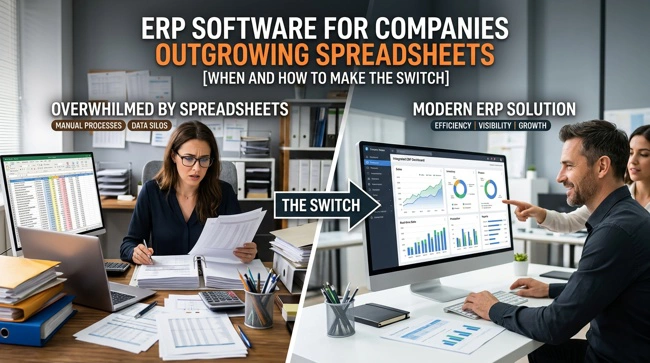
For many small businesses, spreadsheets are where it all begins. They are inexpensive, familiar, flexible, and easy to change as the business evolves. A simple spreadsheet can handle inventory, sales tracking, expenses, customer information, purchasing, scheduling, or reporting when a company is still small. The problem starts when the business grows faster than its spreadsheets can keep up.
If employees are maintaining multiple versions of the same file, entering information into several systems, manually reconciling sales and accounting records, or spending hours preparing reports, the business may have reached an important turning point. At that stage, ERP software for companies outgrowing spreadsheets can provide a more connected way to manage operations.
Enterprise Resource Planning (ERP) software brings important business functions into a coordinated system. Instead of relying on disconnected spreadsheets and applications, a growing company can use an ERP environment to manage information, workflows, inventory, purchasing, reporting, and other operational processes from a more centralized foundation.
For small and mid-sized businesses, however, moving to an ERP system should not be about buying the biggest software package available. It should be about finding a practical system that fits the way the company actually operates. That philosophy is central to Praxis Blueprint, which helps businesses implement and connect practical CMS, ERP, and POS systems without forcing them into unnecessary complexity.
How Do You Know Your Business Has Outgrown Spreadsheets?
The transition from spreadsheets to ERP rarely happens because a business suddenly decides it wants more technology. It usually happens because the existing way of working has become difficult to manage.
A spreadsheet that worked perfectly when a company had five employees, one location, and a relatively small number of transactions may become a significant operational bottleneck once the company has several employees, hundreds or thousands of transactions, multiple locations, and several software systems.
One of the clearest warning signs is duplicate data entry. For example, an employee might record a sale in a POS system, update an inventory spreadsheet, enter information into accounting software, and then manually prepare a management report. Every additional step creates another opportunity for mistakes.
Another warning sign is that employees spend more time maintaining information than using it. If managers have to wait for someone to combine several spreadsheets before they can understand sales, inventory levels, purchasing activity, or profitability, the business does not have timely operational visibility.
Common signs that a company is ready to consider an ERP system include:
- Multiple spreadsheets are being used to manage the same business information.
- Employees repeatedly enter the same information into different systems.
- Inventory numbers frequently need manual reconciliation.
- Management reports take hours or days to prepare.
- Important business information is difficult to locate or verify.
- Different departments maintain separate versions of important data.
- The owner has become the person everyone contacts when information is missing.
None of these problems necessarily means that a company needs an ERP tomorrow. But several of them occurring at the same time are a strong indication that the business should evaluate its systems before operational complexity becomes even harder to control.
Why Spreadsheets Become Difficult to Manage as a Business Grows
Spreadsheets themselves are not the enemy. In fact, they remain useful tools for analysis, planning, budgeting, and many other tasks. The problem is using them as the central operating system for a business that has become too complex for manual coordination.
As a company grows, the number of people who need access to business information increases. So does the amount of information being created. Sales, purchasing, inventory, customer records, invoices, expenses, schedules, and operational reports begin interacting with one another.
That creates a synchronization problem.
Imagine a retailer that sells 50 products. An inventory spreadsheet might be perfectly adequate. Now imagine the same business has several thousand products, multiple suppliers, an online store, physical locations, a POS system, accounting software, and employees responsible for purchasing and fulfillment. Keeping every spreadsheet and application synchronized manually becomes increasingly difficult.
This is where an integrated business system can make a meaningful difference. Rather than asking employees to move information from one place to another, the technology can be designed so that connected processes share information more efficiently.
What Is ERP Software and How Does It Help?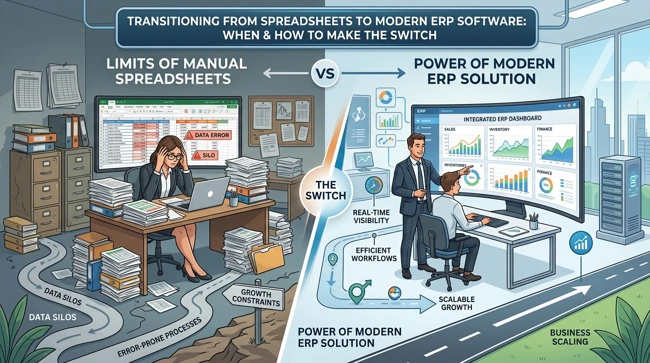
ERP stands for Enterprise Resource Planning. An ERP system is business management software designed to bring different operational functions together within a coordinated system.
Depending on the business and the implementation, an ERP platform may support areas such as inventory management, purchasing, sales, reporting, financial information, customer data, workflow management, and operational planning.
The biggest benefit is not simply having more software. It has a more consistent source of operational information.
For example, when purchasing, inventory, sales, and reporting processes are connected, a business can reduce the amount of information employees have to enter manually. A transaction in one part of the business can contribute information to other relevant processes instead of requiring someone to copy it into several separate files.
Praxis Blueprint's ERP Suite is positioned around inventory management, purchasing, reporting, and operational control, with potential integrations involving QuickBooks, e-commerce platforms, and CRM systems.
This is particularly useful for businesses that do not need an enormous enterprise platform but have reached the point where basic spreadsheets and disconnected applications are holding them back.
ERP vs. Spreadsheets: What Is the Real Difference?
The biggest difference between spreadsheets and ERP software is not simply that one is more sophisticated than the other. The fundamental difference is how business information is managed.
A spreadsheet is generally a document. An ERP system is designed to function as part of the business's operating environment.
With spreadsheets, information often depends heavily on people knowing where files are stored, which version is current, what formulas are being used, and when information was last updated. An ERP system can instead provide structured workflows, controlled access, centralized information, and business processes designed around the company's operations.
| Business Need | Spreadsheet-Based Approach | ERP-Based Approach |
|---|---|---|
| Inventory | Manual updates and reconciliation | Centralized inventory management |
| Reporting | Data gathered from multiple files | Reports generated from connected information |
| Purchasing | Manual tracking | Structured purchasing workflows |
| Data entry | Often duplicated across systems | Greater opportunity for automation |
| Multi-location operations | Separate files or complex workbooks | Centralized operational visibility |
| Business growth | Increasing manual complexity | Processes designed to scale |
The right choice depends on the company's size, processes, budget, and operational complexity. ERP software should solve a business problem rather than become another problem for employees to manage.
When Should a Small Business Move to ERP Software?
There is no universal employee count, revenue figure, or transaction volume that automatically means a business needs ERP software. A company with 20 employees may need an ERP system, while another with 50 employees may operate effectively with a combination of simpler tools.
The better question is: How difficult has it become to manage the business accurately and efficiently with the systems currently in place?
A growing company should consider ERP when manual processes are consuming significant employee time, management cannot easily access reliable information, errors are becoming more frequent, or existing systems no longer communicate effectively.
Growth itself is another important consideration. Waiting until operations are completely overwhelmed can make implementation more stressful because employees are already struggling with day-to-day work.
Planning earlier gives a business more time to document its processes, select appropriate software, clean up its data, train employees, and implement changes in stages.
What Should You Look for in ERP Software for a Growing Business?
A growing business should resist the temptation to choose an ERP system based solely on the number of features advertised. More features do not automatically mean a better solution.
Instead, start by identifying the business processes that are causing the most friction. A retailer may need strong inventory and purchasing capabilities. A service business may care more about job management, scheduling, invoicing, and reporting. A multi-location company may prioritize centralized reporting and consistent processes.
Integration is also critical. If the company already relies on tools such as QuickBooks, an e-commerce platform, or a CRM, replacing everything may not be necessary. In some situations, integrating existing systems can be more practical than forcing the business to abandon tools that already work.
Customization can matter as well, particularly when a business has workflows that do not fit neatly into an off-the-shelf template. Praxis Blueprint's positioning emphasizes building systems around how a business actually operates rather than forcing the business to change simply to accommodate generic software.
Cloud-Based ERP Solutions for Growing Companies
Cloud-based ERP software can be particularly attractive to growing businesses because it can provide access to business systems without requiring the company to maintain the same level of on-site infrastructure associated with traditional software deployments.
For businesses with employees working from different locations or multiple physical locations, cloud access can also make centralized information easier to work with. However, "cloud-based" should not automatically be treated as synonymous with "better."
A business still needs to evaluate security, user permissions, integrations, data management, support, customization, implementation requirements, and ongoing costs. The right solution is the one that supports the company's actual operating model.
ERP Integration With QuickBooks, CRM and Other Business Systems
One of the most important considerations when replacing spreadsheets is what happens to the other software the business already uses.
A company may have QuickBooks for accounting, a CRM for customer information, an e-commerce platform for online sales, a POS system for transactions, and spreadsheets for inventory. Simply adding another application does not solve the underlying problem if these systems remain disconnected.
System integration can help create a more coordinated environment in which information moves between appropriate applications. This can reduce repetitive work and improve consistency.
For example, a retail company could potentially connect sales information with inventory and accounting processes. A service business could connect customer information with operational workflows and invoicing. The exact integration depends on the software involved and the company's requirements.
Praxis Blueprint specifically offers system integration and automation services intended to connect existing software and reduce duplicate data entry and manual processes.
For businesses evaluating ERP software, this makes integration planning an important part of the project rather than something to consider after implementation.
How Much Does ERP Implementation Cost?
ERP implementation pricing varies considerably because there is no single standard implementation.
The final cost depends on the number of users, business locations, required modules, data migration, integrations, customization, training, support, and the complexity of the company's existing processes.
A small business should therefore be cautious about choosing an ERP provider based only on an advertised starting price. Lower software costs can prove expensive if implementation requires extensive customization or if employees cannot use the system effectively.
Before signing an agreement, ask the provider to explain what is included in implementation, what integrations are supported, how data will be migrated, what training is provided, and what ongoing support will look like.
How to Replace Spreadsheets With ERP Software Without Disrupting the Business
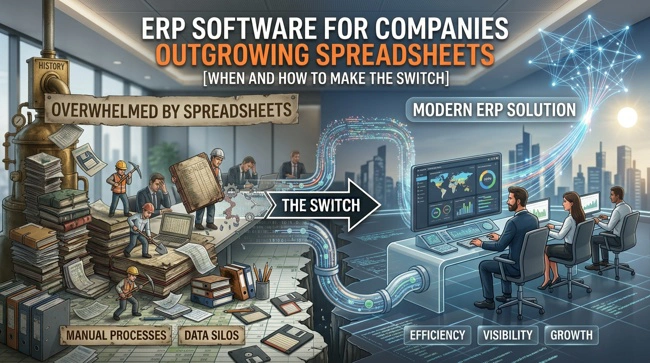
Replacing spreadsheets should be treated as a business transformation project, not simply a software installation.
The first step is understanding the current workflow. Before selecting software, document how information currently moves through the business. Identify where employees enter information, where approvals occur, where errors happen, and which reports management relies on.
Next, prioritize the processes that will benefit most from improvement. Trying to redesign everything at once can create unnecessary complexity.
Data preparation is another important part of the transition. Old spreadsheets may contain duplicate customers, outdated inventory records, inconsistent product names, missing information, or formulas that only one employee understands. Moving poor-quality data into a new ERP does not fix the underlying problem.
Finally, employees need training and support. Even a technically excellent ERP system can fail if employees do not understand how it fits into their daily responsibilities.
Praxis Blueprint's approach emphasizes understanding the business first, defining the system around real workflows, implementing the technology, and providing ongoing support so that the software becomes something people actually use.
What Are the Benefits of Moving From Spreadsheets to ERP?
When properly implemented, ERP software can provide benefits that go beyond replacing spreadsheets.
The first is improved visibility. Business owners and managers can spend less time collecting information and more time using it to make decisions.
The second is reduced manual work. Connecting processes can reduce repetitive data entry and the need to maintain multiple versions of the same information.
The third is greater consistency. When employees work from a more centralized system, the business can establish clearer processes and reduce the confusion caused by disconnected files.
The fourth is scalability. A system designed around growing operations can make it easier to add employees, products, customers, transactions, or locations without simply adding more spreadsheets.
Most importantly, better systems can give business owners a greater sense of control. That aligns directly with Praxis Blueprint's mission of helping entrepreneurs eliminate manual work and gain the clarity needed to run their businesses with confidence.
Building a Business System That Can Grow With You
Outgrowing spreadsheets is actually a positive sign. It usually means the business has reached a level of activity where informal processes are no longer enough. The mistake is waiting until those processes become a serious operational problem before doing anything about them.
The right ERP implementation does more than replace spreadsheets. It helps a business understand how its operations work, identify unnecessary manual steps, connect key systems, improve reporting, and establish processes to support future growth.
For entrepreneurs and small- to mid-sized businesses, the best technology is rarely the one with the longest feature list. It is the system that solves real problems, fits how employees work and provides useful information when the business needs it.
That is the philosophy behind Praxis Blueprint: practical business management systems built around real businesses. From ERP implementation and system integration to POS, CMS and business process consulting, the goal is to help owners move from disconnected tools and manual work toward systems that provide greater clarity and control.
Frequently Asked Questions About ERP for Businesses Outgrowing Spreadsheets
What is the biggest sign that a business has outgrown spreadsheets?
The biggest sign is usually not the number of spreadsheets a company has. It is the amount of time and effort employees spend keeping those spreadsheets accurate. If teams repeatedly reconcile information, duplicate data entry, search for the correct version of a file, or manually prepare reports, the current system may no longer be appropriate.
Is ERP software only for large companies?
No. ERP software can be useful for small and mid-sized businesses when their operations have become complex enough to require connected systems. The key is to choose an appropriately sized solution rather than adopt an unnecessarily complicated enterprise platform.
Can ERP software replace QuickBooks?
It depends on the ERP platform and the company's requirements. Some businesses may replace certain accounting functions, while others may benefit from integrating their ERP with QuickBooks. The right approach depends on the existing technology environment and business processes.
Can ERP software integrate with a CRM?
Yes, ERP and CRM integration can connect operational and customer-related information. The specific capabilities depend on the ERP, CRM, available APIs or connectors, and the implementation approach.
How long does ERP implementation take?
There is no universal timeline. A straightforward implementation for a smaller company may differ significantly from a customized, multi-location deployment involving multiple integrations and substantial data migration. A proper implementation plan should be based on the company's actual requirements.
Should a company move everything into one ERP system?
Not necessarily. Sometimes the best solution is a centralized ERP platform, while other businesses benefit from keeping specialized applications and integrating them. The goal should be connected business processes, not simply having fewer software products.