How to Choose Point of Sale Solutions for Small Businesses [System for Sales, Customers, and Growth]
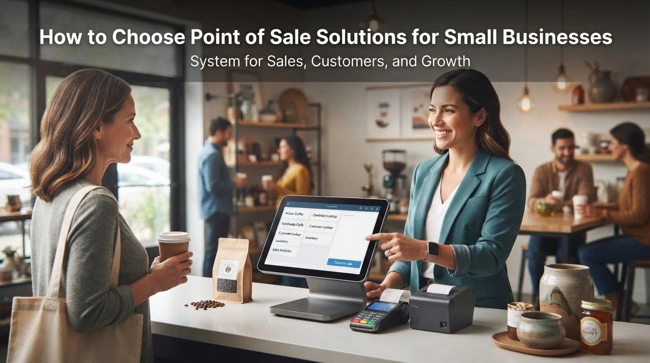
Often, running a small business means wearing several hats at once. You may be serving customers, tracking sales, checking inventory, handling payments, reviewing expenses, and trying to understand whether the business is actually becoming more profitable. When these activities depend on separate tools or manual processes, even a simple sale can create extra administrative work. The right point of sale solutions for small businesses can bring many of these daily activities into one connected workflow, making transactions easier to manage while giving owners better information about how the business is performing.
The best point of sale system is not necessarily the one with the most features or the highest price. It is the one that fits the way your business actually operates, supports your employees, gives you reliable sales information, and can grow as your needs change. Modern POS solutions can do much more than process card or cash payments; they can support inventory management, customer records, reporting, employee permissions, promotions, accounting integrations, and online sales.
If you are replacing a traditional cash register, moving away from spreadsheets, or simply looking for a more efficient way to manage sales, this guide will help you understand what to look for. Read on to learn how point of sale solutions work, which features matter most to small businesses, how much integration you really need, common implementation mistakes to avoid, and how to choose a system that will continue to make sense as your company grows.
Point of Sale Solutions for Small Businesses: What They Actually Do
Point of sale solutions for small businesses are software and hardware systems designed to manage the process of selling products or services to customers. At the most basic level, a POS system records a transaction, calculates the amount due, accepts payment, and produces a receipt. Modern platforms, however, can connect that transaction to many other areas of the business.
For example, when a customer buys a product, the system can record the sale, update the product's inventory quantity, calculate applicable taxes, save relevant customer information, and include the transaction in sales reports. If the POS is integrated with accounting software, information from the transaction can also be transferred into the financial workflow without requiring an employee to re-enter it.
This connected approach is particularly valuable for small businesses because employees often have limited time and resources. Instead of maintaining separate systems for sales, inventory, customer information, and reporting, a business can use a POS platform as one of the central tools supporting its daily operations.
Why Small Businesses Are Moving Beyond Traditional Cash Registers
A traditional cash register can be perfectly adequate for a business that only needs to total transactions and store cash. The problem begins when an owner needs answers that a basic register cannot provide. How much did a particular product sell last week? Which employee processed the most transactions? What time of day generates the most sales? Which items are running low?
Modern POS software can answer these questions by turning transaction data into usable business information. Rather than waiting until the end of the week to manually calculate sales, an owner can review reports based on current transaction records. This can make routine decisions faster and reduce the amount of administrative work required to understand the business.
The shift also makes sense as businesses begin adopting integrated POS and inventory management systems. When sales and inventory are connected, the POS becomes more than a payment terminal. It becomes part of the operational infrastructure that helps the business understand what is selling, what remains in stock, and where attention may be needed.
How a Modern POS System Works

A typical POS transaction begins when an employee selects a product or service. This might happen by scanning a barcode, searching the product catalog, selecting an item on a touchscreen, or entering a service manually. The system calculates the subtotal and applicable taxes, applies discounts if authorized, and presents the customer with the amount due.
The customer then pays using an accepted payment method such as cash, debit card, credit card, mobile payment, or another supported option. Once the transaction is completed, the POS records the details and can trigger other actions, such as reducing inventory, updating sales reports, recording customer loyalty points, or sending transaction information to an accounting system.
Behind this simple process is a database containing products, prices, inventory information, employees, customers, transaction history, and configuration settings. That shared data is what gives modern POS systems their value. The checkout process becomes a source of information that can support decisions throughout the business.
Essential POS Features for a Small Business
Small businesses should focus on features that solve actual operational problems rather than paying for functionality they will never use. A retailer with 500 products may have very different requirements from a service business with a handful of offerings. Understanding the difference can prevent a company from buying an unnecessarily complicated platform.
Some of the most useful capabilities include:
- Sales and payment processing with support for the payment methods customers commonly use.
- Inventory tracking, barcode scanning, product catalogs, discounts, returns, and sales reporting.
- Employee permissions, customer management, loyalty features, and integrations with accounting or e-commerce software.
The system should also be easy for employees to learn. A technically sophisticated POS that takes too long to operate can create longer checkout times and frustration. Usability is therefore not a minor consideration; it directly affects the customer experience and the efficiency of the staff using the system every day.
POS Inventory Management and Stock Control
Inventory management is one of the areas where a POS system can create immediate operational benefits. When products are connected to sales records, every completed transaction can contribute to a more current picture of available stock. Employees no longer need to wait for someone to manually transfer sales information into an inventory spreadsheet.
This becomes particularly useful for businesses with many products or frequent transactions. A retailer can monitor fast-moving items, identify low-stock products, review historical sales, and make more informed purchasing decisions. The system can also provide information about products that are not selling as expected, helping managers avoid continually investing in slow-moving stock.
Businesses should nevertheless understand that POS-based inventory tracking is not a substitute for proper inventory procedures. Receiving errors, theft, damaged goods, incorrect counts, and other issues can still create discrepancies. Software works best when it is combined with sensible stock controls and periodic physical inventory checks.
Payment Processing and POS Security
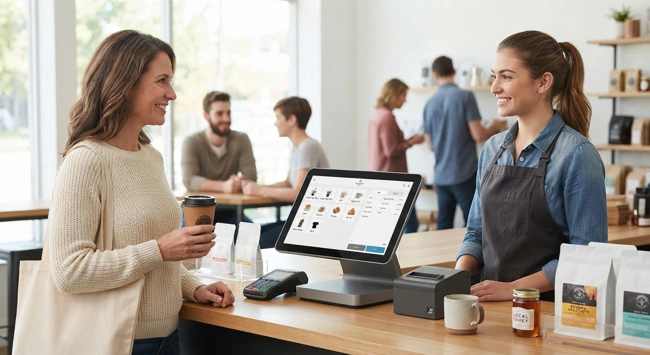
Payment processing is one of the most sensitive functions of a POS environment because transactions involve financial information and customer trust. Small businesses should therefore evaluate the security practices of a POS provider before focusing only on its interface or advertised features.
Payment security can involve several layers, including encrypted communication, secure payment terminals, access controls, software updates, and compliance requirements applicable to payment card transactions. Businesses should understand which security responsibilities belong to the POS provider, payment processor, and business itself.
Employee access should also be limited according to job responsibilities. A cashier may need to process sales and approved returns, while only a manager should be able to change prices, issue certain refunds, or make significant inventory adjustments. Role-based permissions can reduce the risk of accidental or unauthorized changes.
POS Reporting: Turning Transactions Into Business Decisions
A good POS system should help answer business questions, not simply store transaction records. Sales reporting can reveal which products generate the most revenue, when customer traffic is highest, how discounts affect sales, and whether performance is improving over time.
Consider a small clothing store that notices strong sales on weekends but weak weekday traffic. Instead of relying on assumptions, the owner can review transaction data to understand the pattern and then test strategies such as weekday promotions or targeted marketing. The POS does not make the decision for the owner, but it provides evidence that can make the decision more informed.
Useful reports can include sales by product, employee, location, payment method, date, category, or customer. Businesses should also consider whether reports can be exported or connected to other business intelligence and accounting tools when deeper analysis is required.
Customer Management and Loyalty Features
For many small businesses, repeat customers are just as important as individual transactions. POS platforms can help connect purchases with customer profiles when customers choose to provide their information. This can support loyalty programs, purchase history, personalized promotions, and other customer engagement strategies.
For example, a coffee shop might reward frequent customers after a certain number of purchases. A specialty retailer could use purchase history to identify customers interested in particular product categories. A service business might use customer records to understand previous purchases or appointments.
Businesses should use customer information responsibly and provide appropriate transparency about how personal data is collected and used. A useful POS system should make customer engagement easier without encouraging businesses to collect information they do not genuinely need.
Cloud-Based vs. On-Premises POS Systems
One of the important decisions when evaluating POS software is where the system and its data are hosted. Cloud-based POS platforms typically store application data on remote infrastructure and allow authorized users to access the system through an internet connection. On-premises systems, by contrast, rely more heavily on hardware and infrastructure managed directly by the business.
Cloud-based systems can be attractive to small businesses because they may reduce the need for maintaining dedicated local servers. Software updates, backups, and certain technical responsibilities can also be handled by the provider, depending on the service agreement.
On-premises systems can still make sense in certain environments, particularly where businesses have specialized requirements or need greater control over their infrastructure. The decision should consider internet reliability, security requirements, cost, support, business continuity, and the technical resources available to the company.
Integrating POS With Accounting Software
A POS system becomes significantly more useful when it can communicate with accounting software. Without integration, employees may need to manually transfer sales totals, refunds, taxes, and other information into the accounting system. That creates additional work and introduces opportunities for errors.
Integration can create a more connected financial workflow. Depending on the systems involved, sales data can be transferred into accounting records, helping reduce duplicate data entry and making reconciliation easier. The exact capabilities vary, so businesses should ask vendors what information is synchronized and how frequently synchronization occurs.
This is also where ERP consulting services for small business owners can become relevant. If a company has accounting, inventory, POS, CRM, e-commerce, and other applications, simply adding another disconnected system may make the technology environment more complicated. A broader review can determine whether integration or consolidation would provide better long-term value.
POS and E-Commerce Integration for Small Businesses

Customers increasingly expect businesses to provide a consistent experience across physical and online channels. A customer might discover a product through an online store, purchase it at a physical location, and later return it through another channel. Managing those transactions separately can create confusion about inventory and customer records.
An integrated POS and e-commerce environment can help synchronize products, prices, orders, and inventory between sales channels. When configured correctly, this gives employees a more consistent view of what the business has available to sell.
This capability is especially important for small businesses that are expanding from a physical store into online sales. Rather than creating an entirely separate operational process, integration can allow both channels to become parts of the same broader business workflow.
How to Compare Point of Sale Solutions
Choosing between POS providers can be difficult because many platforms appear similar when viewed through a feature list. The better approach is to compare them against your actual business processes. Start by identifying how you currently accept payments, manage products, handle returns, track inventory, record customer information, and produce reports.
Then consider how those processes are likely to change over the next few years. A single-location business that plans to remain small may need a relatively straightforward system, while a company planning to add branches or e-commerce may need stronger integration and scalability.
| Evaluation Area | Questions to Ask |
|---|---|
| Ease of use | Can employees learn the system quickly and process transactions efficiently? |
| Inventory | Does it support your products, variants, stock levels, and purchasing workflow? |
| Payments | Does it work with your preferred payment processor and payment methods? |
| Reporting | Can owners access the reports needed to make business decisions? |
| Integrations | Can it connect with accounting, e-commerce, CRM, or ERP software? |
| Scalability | Can the system support additional products, employees, locations, or sales channels? |
| Support | What technical support is available when something goes wrong? |
| Total cost | What will software, hardware, payments, integrations, training, and support cost? |
The goal is not to find a system that scores perfectly in every category. It is to identify the platform that provides the best balance between functionality, usability, cost, integration, and future requirements.
Common POS Implementation Mistakes to Avoid
A POS implementation can fail even when the software itself is capable. One of the most common mistakes is rushing the setup without cleaning product data first. Duplicate SKUs, incorrect prices, missing barcodes, and inaccurate opening inventory can create problems from the first day.
Another mistake is failing to train employees properly. Staff should understand how to process normal transactions, returns, discounts, corrections, and other situations relevant to their roles. Managers should also know how to review reports, manage permissions, and investigate unusual transactions.
Businesses should also avoid selecting software based solely on the lowest upfront price. A cheaper platform may become expensive if it lacks important integrations, requires substantial manual work, or cannot support the company's growth. The real comparison should be based on the total cost of ownership, not simply the monthly subscription or initial hardware purchase.
When Should a Small Business Upgrade Its POS System?
There is no universal point at which every business needs to replace its POS system. However, certain warning signs are difficult to ignore. If employees are constantly entering sales data into spreadsheets, inventory information is unreliable, reports take hours to prepare, or the system cannot integrate with essential business applications, it may be time to evaluate alternatives.
Growth can also create the need for an upgrade. A system that worked perfectly when a business had one employee and 100 products may become restrictive when it has ten employees, several thousand products, an online store, and multiple sales channels.
Before replacing the system, identify the specific limitations causing problems. Sometimes an integration or configuration change can solve the issue without requiring a complete migration. In other cases, the existing platform may simply have reached the end of its useful life for the business.
How POS Fits Into a Larger Business Technology Strategy
A POS system should not be viewed in isolation. It is one component of a wider technology environment that may include accounting, inventory management, CRM, e-commerce, payroll, ERP, marketing, and business intelligence applications.
For companies that are gradually replacing disconnected tools, POS can become an important step toward a more integrated environment. ERP software for companies outgrowing spreadsheets, for example, can provide a broader framework for businesses that need to connect sales with finance, inventory, purchasing, and other operational functions.
The key is to build toward a technology environment where systems exchange information instead of forcing employees to repeatedly copy it. That does not necessarily mean every business needs a large ERP platform. It means each technology investment should be evaluated based on how well it supports the company's actual processes and future direction.
Frequently Asked Questions About POS Solutions for Small Businesses
What is the best point of sale solution for a small business?
There is no single POS system that is best for every small business. The right solution depends on the type of business, number of products, transaction volume, payment requirements, inventory complexity, budget, and integration needs. A small service business may need very different functionality from a retailer with thousands of SKUs.
How much do point of sale solutions for small businesses cost?
POS costs vary significantly. A business may pay for software subscriptions, payment processing, hardware such as terminals and barcode scanners, integrations, employee accounts, and support. Businesses should calculate the complete cost of ownership rather than comparing software subscription prices alone.
Can a small business use a POS system without inventory management?
Yes. Some service-based businesses may have little or no physical inventory and primarily need transaction processing, scheduling, customer management, or reporting. However, businesses selling physical products should generally consider inventory capabilities because sales information can be valuable for maintaining accurate stock records.
Can POS software work with QuickBooks or other accounting systems?
Many POS platforms can integrate with accounting applications, although the depth of integration varies. Some connections may transfer sales summaries, while others support more detailed synchronization. Businesses should confirm exactly what information moves between the systems before choosing a provider.
Do small businesses need a cloud-based POS system?
Not necessarily. Cloud-based POS systems can provide convenience, remote access, and reduced infrastructure requirements, but the right choice depends on the business. Internet reliability, security, operational requirements, and vendor support should all be considered.
Can a POS system support multiple locations?
Many modern POS platforms support multiple locations, but functionality varies. Businesses planning to expand should check whether the system can manage location-specific inventory, users, pricing, reporting, transfers, and centralized administration.
Is a POS system the same as an ERP system?
No. A POS system is primarily designed around sales transactions and related retail or service operations. An ERP system typically covers a much broader range of business processes, such as finance, purchasing, inventory, manufacturing, human resources, and supply chain management. However, POS software can integrate with an ERP platform as part of a connected technology environment.
Choosing a POS System That Can Grow With Your Business
The most useful point of sale solutions for small businesses are not necessarily the ones that promise to do everything. They are the ones that make everyday transactions easier while providing accurate information that employees and owners can actually use. A good POS system should reduce unnecessary manual work, improve visibility, support secure payments, and connect naturally with the other applications that matter to the business.
As the company grows, those requirements may change. More products may be added, new employees may need access, an online store may be launched, or additional locations may open. Choosing a system with appropriate integration and scalability can prevent the business from having to start over every time its operations become more sophisticated.
Ultimately, selecting a POS system should be treated as a business decision rather than simply a technology purchase. Start with your current problems, identify the processes you want to improve, evaluate the integrations you genuinely need, and consider where the business is likely to be in the next few years. When the technology fits the operation instead of forcing the operation to fit the technology, a POS system can become a practical foundation for more efficient sales and sustainable growth.